Customer Communication Management Software
Turn your website into real conversations
- AI-powered
- Multilingual
- GDPR & HIPAA compliant
- Get your demo

Your visitors have questions. Does your website have answers?
Your clients expect answers now, not a contact form
Around 90% of customers expect a fast, real-time response when they reach out. If they can't get one, they don't wait – they move on. That's a lost conversation, and often a lost customer. A proper CCM solution closes that gap before it costs you.
Every unbooked appointment is wasted potential
Without a smooth booking process, scheduling becomes a back-and-forth of emails and missed calls. It drains your time and breaks the customer journey at exactly the wrong moment. Smart scheduling removes that friction entirely.
Complex services need conversation, not content
If what you sell takes more than a few seconds to understand, static content won't convert. Visitors leave with unanswered questions. Interactive communication – chat, video, real-time explanations – give them a reason to stay and a way to understand.
Engage visitors before they leave
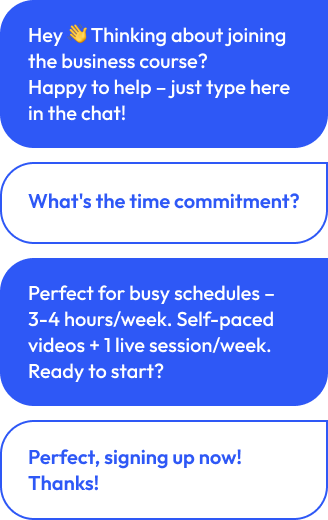
You can wait for people to fill out a form. Or you can reach out proactively, the way a good salesperson would in a store. Businesses that engage visitors at the right moment in their customer journey see up to 2.5× higher conversions – without hiring more staff.

Everything you need to manage customer communications in one place
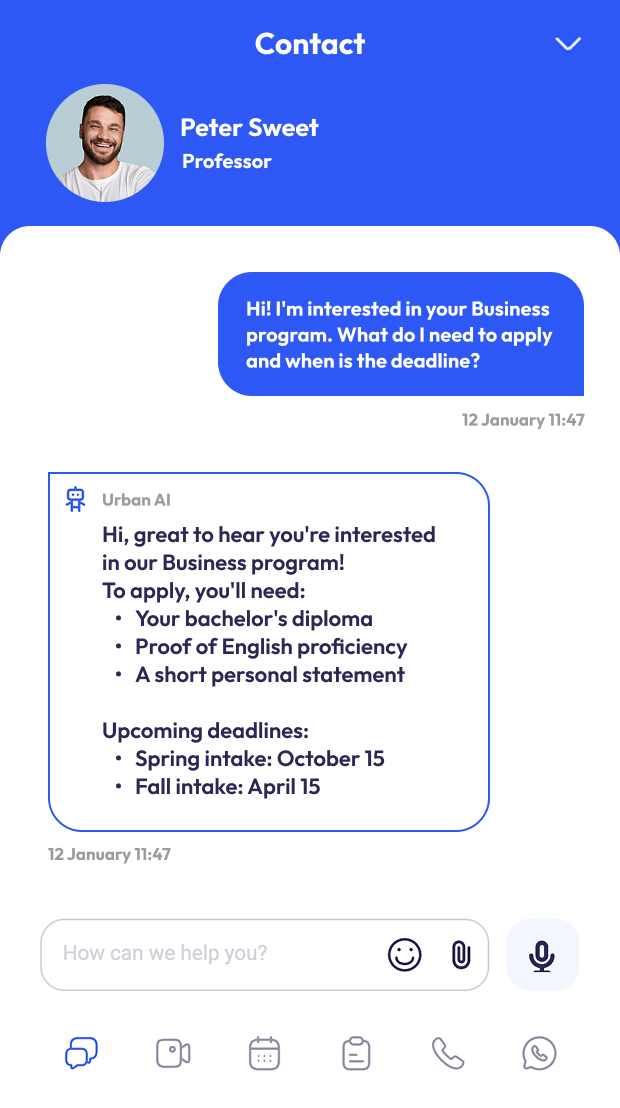
Live chat with AI Power
The AI answers. You step in when it counts.
Decisions happen fast. Live chat catches questions in the moment they come up. The AI handles what it knows with confidence – 24/7, in your brand voice – and learns from how your team responds over time. When a conversation needs a human, it gets one. That balance between automation and genuine connection is what makes customer support feel personal at scale.
Handover to your team
Forward conversations and video calls directly to live staff as soon as personal support is needed. If no one is available, the system can schedule appointments or capture customer data.
One chat window for everything
Text, voice messages, file transfers, follow-ups – all in the same thread. No switching between tools, no lost context. Your team sees the full picture, and so does the customer.
A knowledge base your whole team controls
The AI draws from a central content management database that your team builds: FAQs, links, documents. That means communications based on your actual expertise – not generic answers. Update it once, and every future conversation benefits.
Your tone, your style, your brand voice
You decide how the AI sounds. Friendly and approachable, or precise and professional – it reflects your brand, not a generic bot. Personalized communications start from the very first message.
Video call without download
1-Click Video Call directly via your website
Some things are just easier to show than explain. HD video calls launch directly from your website – for one-on-one consultations or group sessions. No external tools, no setup for the customer, no drop-off before the conversation even starts.
Screen sharing that works both ways
Walk someone through your service live, or look at their screen to help them directly. It's the kind of hands-on customer support that builds trust quickly and resolves issues faster than any email thread.
Secure online payments directly in the chat
You can request payment directly in the chat or before a meeting – via PayPal or Stripe. That means a consultation, coaching session, or support call can be booked and paid for without the customer ever leaving the conversation.
Recordings and transcripts, automatically
Every call can be recorded (with consent) and transcribed by AI. This gives you insights into customer feedback, recurring questions, and customer behavior – and makes onboarding new team members much easier.
Works on any device, without an app
Your entire customer base can join a video call from a phone, tablet, or desktop. All they need is a browser. That removes one of the most common reasons people don't show up.
Scheduling without the chaos
Let customers book themselves – on your terms
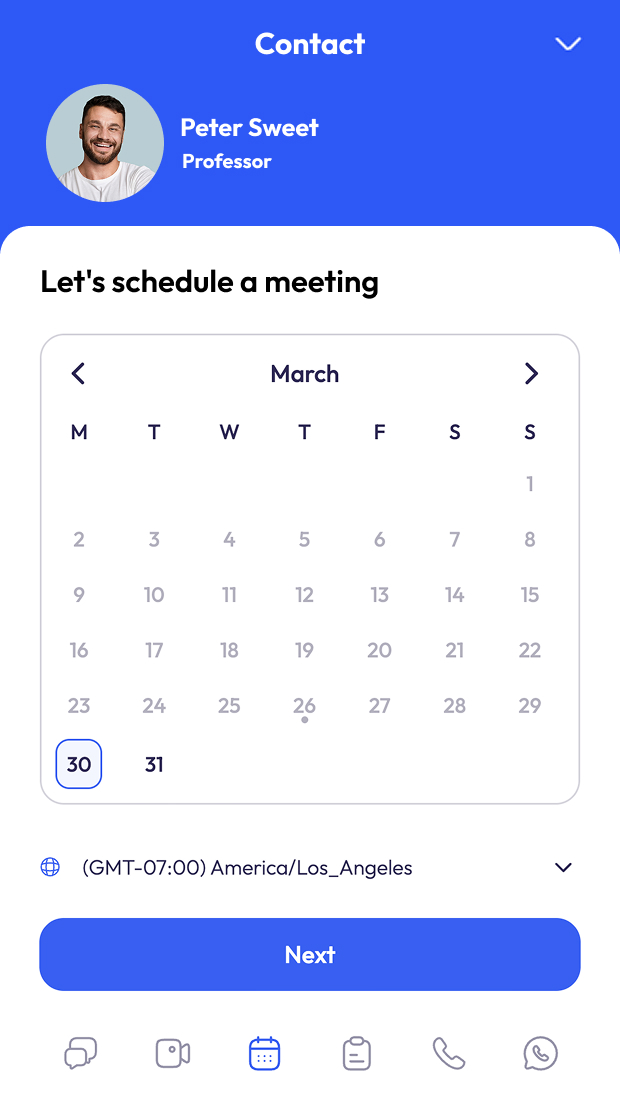
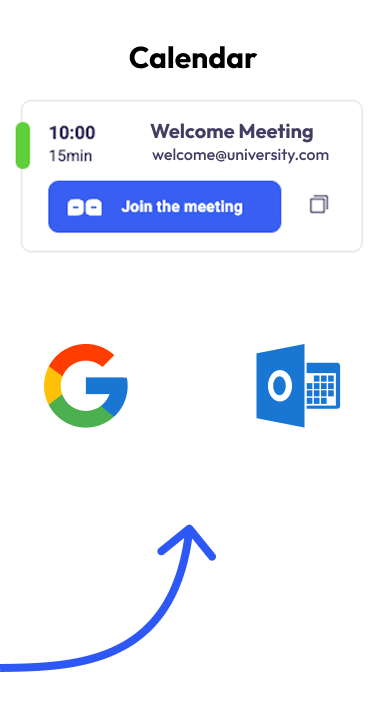
Display your available slots, sync with Google Calendar and Outlook, and let customers book directly from your website. The 2-way calendar sync prevents double bookings automatically. You choose how much control you want:
Two modes:
Fully Controlled: Clients suggest multiple time windows, you choose the one that works
Fully Automated: Clients book directly from your real-time availability
Automatic Reminders
Email reminders go out 24 hours and 1 hour before each appointment. Simple, but effective – and one less thing your team has to manage manually.
Group meetings & group scheduling
Workshops, info sessions, group consultations – the scheduling logic handles multiple participants just as well as 1:1 meetings.
Two ways to book
Click’NTalk Page: A dedicated booking page you can share directly.
Website Widget: Embedded into your existing site with a single code snippet.
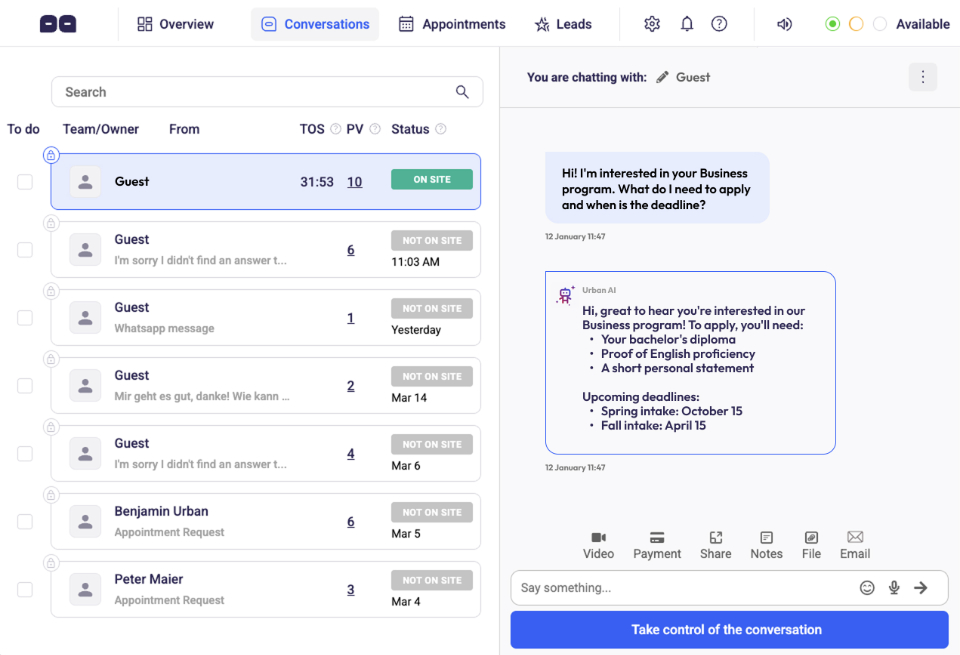
A Centralized Platform for Managing Customer Communications
Every conversation, in one place
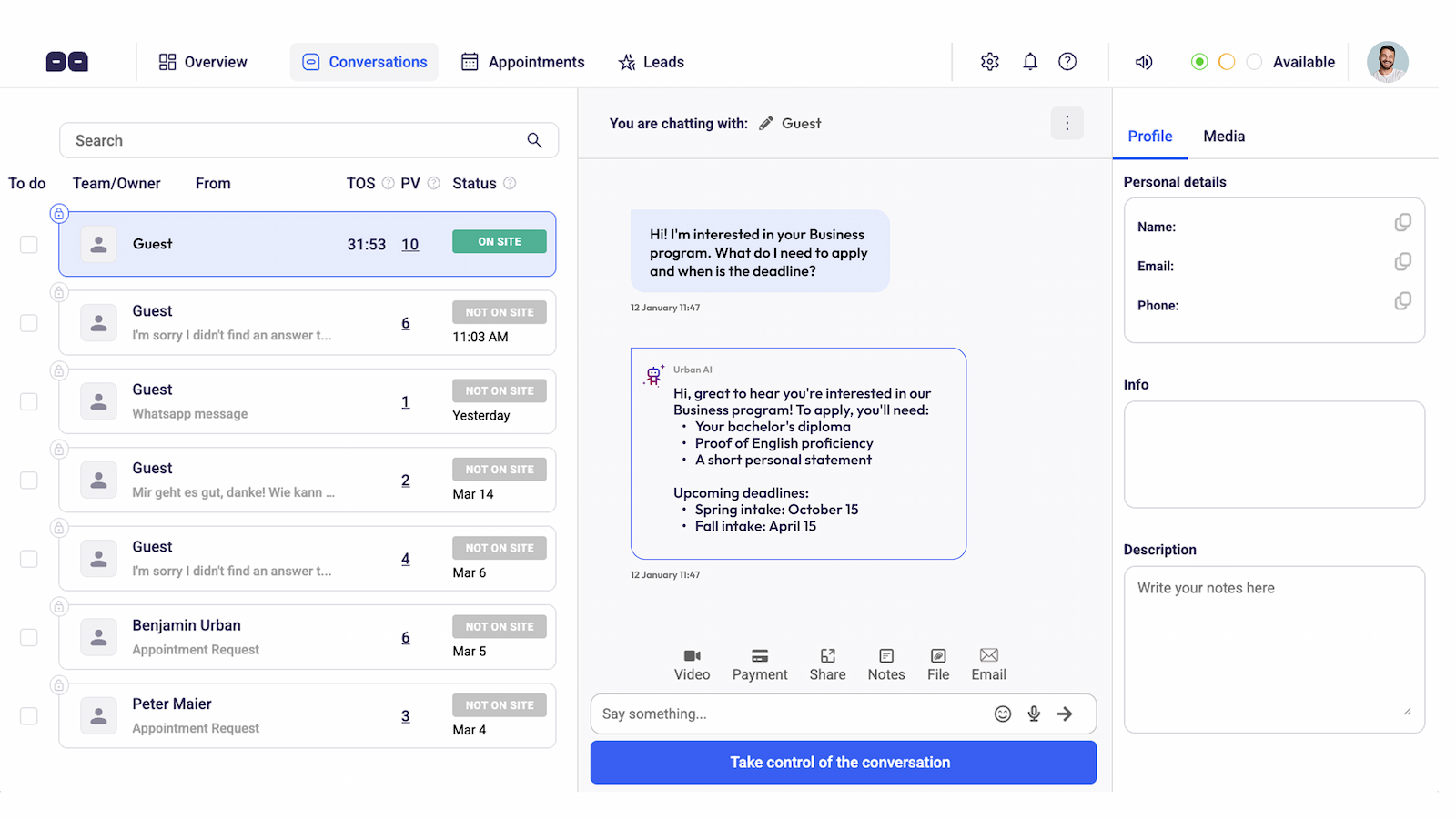
The Conversations Center stores every interaction – chats, video calls, voice messages, file transfers – as a complete dialogue linked to each contact. Your team sees the full history at a glance: who spoke to whom, what was covered, what comes next. Notes, attachments, and recordings stay connected to the contact profile. No more digging through email threads to find customer information.
Analytics that show what's actually working
The Overview gives you real numbers on chats, calls, bookings, and conversions. You'll see which pages generate the most conversations, how individual team members perform, and where in the customer journey people drop off. These insights into customer engagement help you make decisions based on data, not gut feeling.
Appointment management that scales
The Appointment Center brings every booking together – from chat, video, and the booking widget – in a single calendar view. Auto-confirm or manually approve, depending on how much control you need. Either way, nothing gets missed.
No lead gets lost
Every inquiry from forms, widgets, and booking requests lands in the Leads Center with a full contact profile. From there, it can flow directly into your CRM or marketing tools. Good contact management means every conversation that starts on your website has somewhere to go.
Built for teams, not just individuals
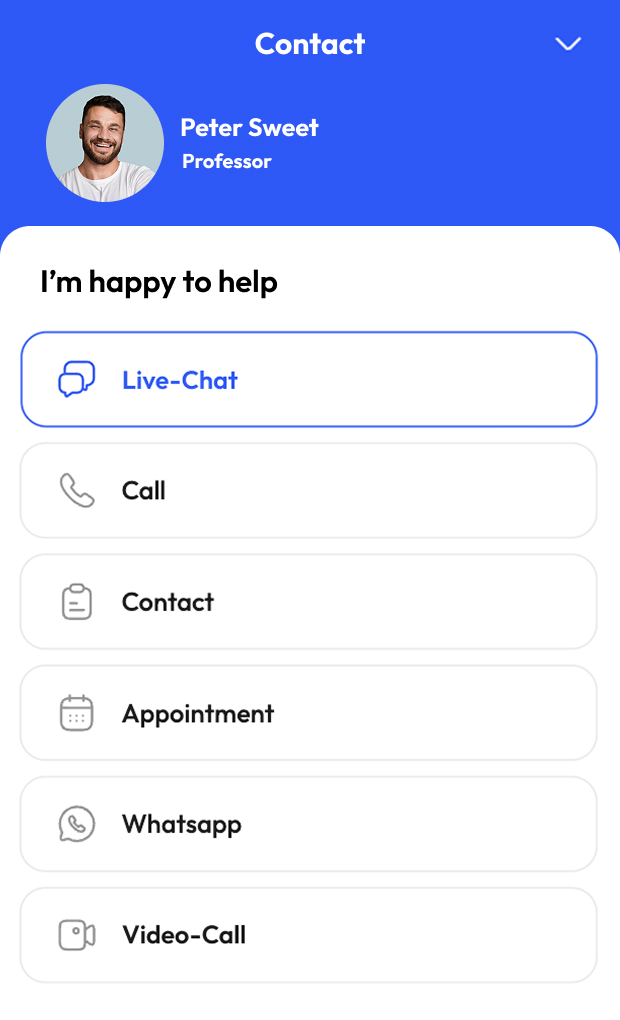
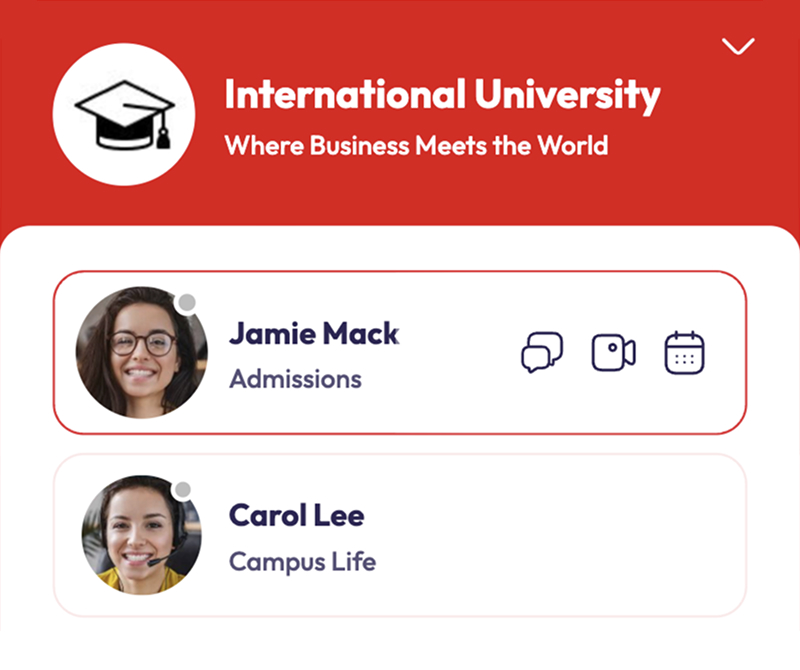
Multiple agents, shared inboxes, private conversations, internal assignments – business users can configure the widget to match exactly how their team works. Visitors can even choose who they want to talk to from the start.
Your Brand. Your Look.
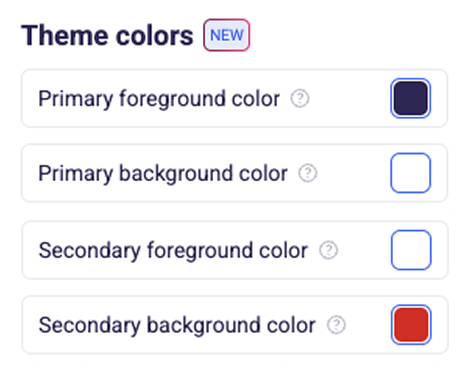
Widget in your brand's Look & Feel
Colors, buttons, backgrounds – everything adapts to your website. The goal is a unified customer experience where chat and video feel like a natural part of your brand, not a third-party tool bolted on.
Personalized from the first message
Your logo, your profile photos, your greeting texts. Visitors immediately know who they're talking to. That first impression matters more than most businesses realize – it's the difference between a bounce and a booking.
The AI sounds like you, not like a bot
Define how your AI communicates. Consistent communications across every automated conversation mean your brand voice holds up even when your team is offline.
The same experience on every device
Desktop, tablet, or phone – the design and functionality stay consistent. Your customer relationship doesn't change based on screen size.
Works With the tools you already use
Fits into your existing workflows
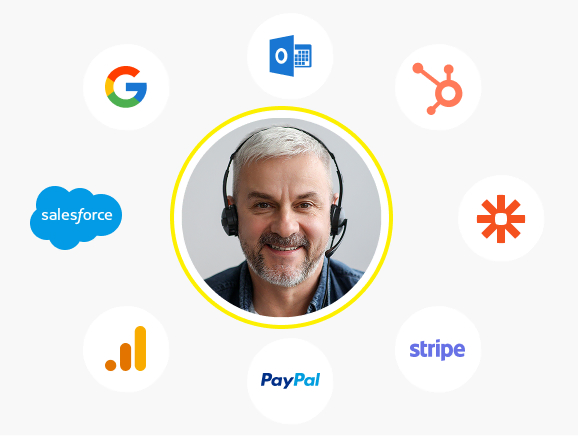
Chat data, appointment bookings, and contact profiles connect to your CRM, calendar, email marketing platform, and payment providers. These communication management solutions are built to complement your stack, not replace it. Via Zapier and webhooks, you can automate lead routing, follow-up emails, and deal creation – without manual work.
Measure what your website conversations actually produce
Google Analytics integration lets you track chats, calls, and bookings as events. Finally, a clear picture of which traffic sources lead to real conversations – and which don't. That's the kind of data management that makes your marketing budget work harder.
Zapier & webhooks for automations
With Zapier and webhooks, connect the system to hundreds of apps – e.g., to write leads to your CRM, create deals, or automatically send follow-up emails. Manual copy-paste work is eliminated.
Calendar and CRM integration
Sync online appointments with your calendar or create contacts directly in your CRM. This keeps your pipeline up to date without your team having to maintain it twice.
Payments via PayPal & Stripe
Thanks to the integrated payment function, you can request payments directly in the chat or around the meeting – without media breaks. Via integration with PayPal and Stripe, you set your prices and monetize consultations, coaching, or support sessions directly via your website.
FAQ
Frequently Asked Questions
What is customer communication management software?
Customer communication management software – often called CCM software or a CCM solution – is a platform that helps businesses manage customer communications across multiple channels from one place. The best systems go beyond basic live chat to include video calls, scheduling, contact management, analytics, and integrations. The goal is a consistent, personalized customer experience across every touchpoint, without managing a dozen separate tools.
Who is this CCM software built for?
This platform works best when your website visitors don't just want information – they want to talk, ask questions, or book something. That's true for a lot of businesses:
- Consultants, Coaches & Advisors – turn visits into booked calls, faster
- Law Firms & Financial Advisors – guide complex enquiries from the first touchpoint, without back-and-forth calls
- Schools, Universities & Training Providers – reach prospective students at the moment of interest
- Medical Practices & Healthcare Providers – handle appointments and recurring questions efficiently
- Online Shops with considered purchases – remove buying hesitation in real time and close more sales
- Agencies & Service Providers – explain what you do, qualify leads, and get more of the right enquiries
- Insurance & Real Estate – bring the personal first conversation online, seamlessly
- Fashion, Beauty & Aesthetics – offer the kind of personalised guidance that turns browsers into buyers
If your visitors arrive ready to engage, this is the tool that meets them there.
How does a CCM platform improve customer experience?
It removes the gaps. When a customer has a question and gets an instant answer, they stay. When they can book a call without sending three emails, they book. When your team has the full conversation history in one place, they respond better. A good CCM platform doesn't just improve individual interactions – it improves the entire customer journey from first visit to loyal customer.
What's the difference between CCM software and a basic live chat tool?
A live chat tool handles one channel. Customer communication management software handles all of them – and connects them. That means video calls, scheduling, payments, CRM sync, team collaboration, and analytics working together. The difference in practice: fewer tools to manage, less context lost between channels, and a much smoother experience for both your team and your customers.
Does it work with my existing website?
Yes. One code snippet is all it takes – whether your site runs on WordPress, Shopify, Wix, Squarespace, or a fully custom build. No redesign, no migration, no technical heavy lifting.
Does our team need to be online 24/7?
No. The AI handles common questions around the clock, learns from your team's responses over time, and qualifies leads before handing them over. Your team steps in when a conversation needs a personal touch – not for every routine question.
Can it pre-qualify leads before they reach our team?
Yes. The AI can ask questions, collect customer information, and filter out low-intent inquiries before the conversation reaches a human. By the time your team gets involved, they already know who they're talking to and what that person needs.
Can multiple team members use it?
Yes. Multiple agents, shared inboxes, private assignments, department routing – the platform is built for teams of any size. Visitors can even choose the right person directly from the widget.
Does it connect with calendars, CRMs, and other tools?
Yes. Google Calendar, Outlook, popular CRMs, Zapier, PayPal, and Stripe are all supported. Bookings, contacts, and conversation data flow into your existing systems automatically.
Is it compliant with data protection regulations?
Yes. The solution is GDPR- and HIPAA-compliant. All data – conversations, recordings, contact details, appointment information – is processed securely. Consent flows are built in, which makes it suitable for healthcare, legal, and other regulated environments.
Can it be customized to match our brand?
Completely. Colors, fonts, button styles, tone of voice, greeting texts, profile photos – everything adapts to your brand. The widget should feel like part of your website, not a foreign element dropped in from outside.
About Urban X Design
Hi, I'm Benjamin. I've spent years helping businesses turn their websites from passive brochures into active communication channels. A website that only informs, but doesn't let people reach you, loses visitors at exactly the moment they're ready to connect. The solution I offer – and use on my own site – combines AI chat, video calls, and booking in one widget. I'll help you set it up and get to your first real conversation.


As CEO, I’m not just satisfied – I’m thrilled with how perfectly the website represents our services. As a local provider in a rural area, I especially appreciate the visibility and relevance our website now has in search results related to solar systems.
Jonas Link


We regularly receive glowing feedback from our users. In 2024, we surpassed over 100,000 website visits. Thank you, Benjamin, for your outstanding work and your dedication – big and small! We truly value you.
Management


Thanks again for making it all ready in time! It turned out great – and working with Benjamin was, once again, a real pleasure!
Christian Kessel


I am extremely satisfied with the result and have already received a lot of recognition from my former colleagues as well as from new customers and business partners.
Dr. Christian Kessel


Benjamin Urban is an excellent web developerwith both technical expertise and a great work ethic. We’re extremely satisfied with the quality of his work.
Jennifer Sharpe
Dry Kings


Benjamin created my website and company logo. Within the second week of the website launch we gained four new clients to manage their assets. I strongly and highly recommend his service to others.
Jerod Grant